Author: adminbackup

  • The Wallet Is Not the Safety System: What DeFi Users Should Expect from Rabby

    A wallet can warn you about a dangerous transaction and still leave you fully exposed to a bad decision. That is the counterintuitive fact many DeFi users miss. Security is not created by a colorful interface or a “simulation” button; it emerges from how well a wallet translates opaque blockchain actions into consequences a person can inspect before signing.

    Consider a familiar US-based scenario. You connect to a new decentralized exchange, approve a token, and submit a swap that appears ordinary. The transaction succeeds, but the result is not what you expected: the approval was broader than necessary, the received asset was not the token you thought it was, or a contract interaction granted a third party more control than the interface made obvious. Nothing necessarily “broke.” The danger was hidden in the transaction’s meaning.
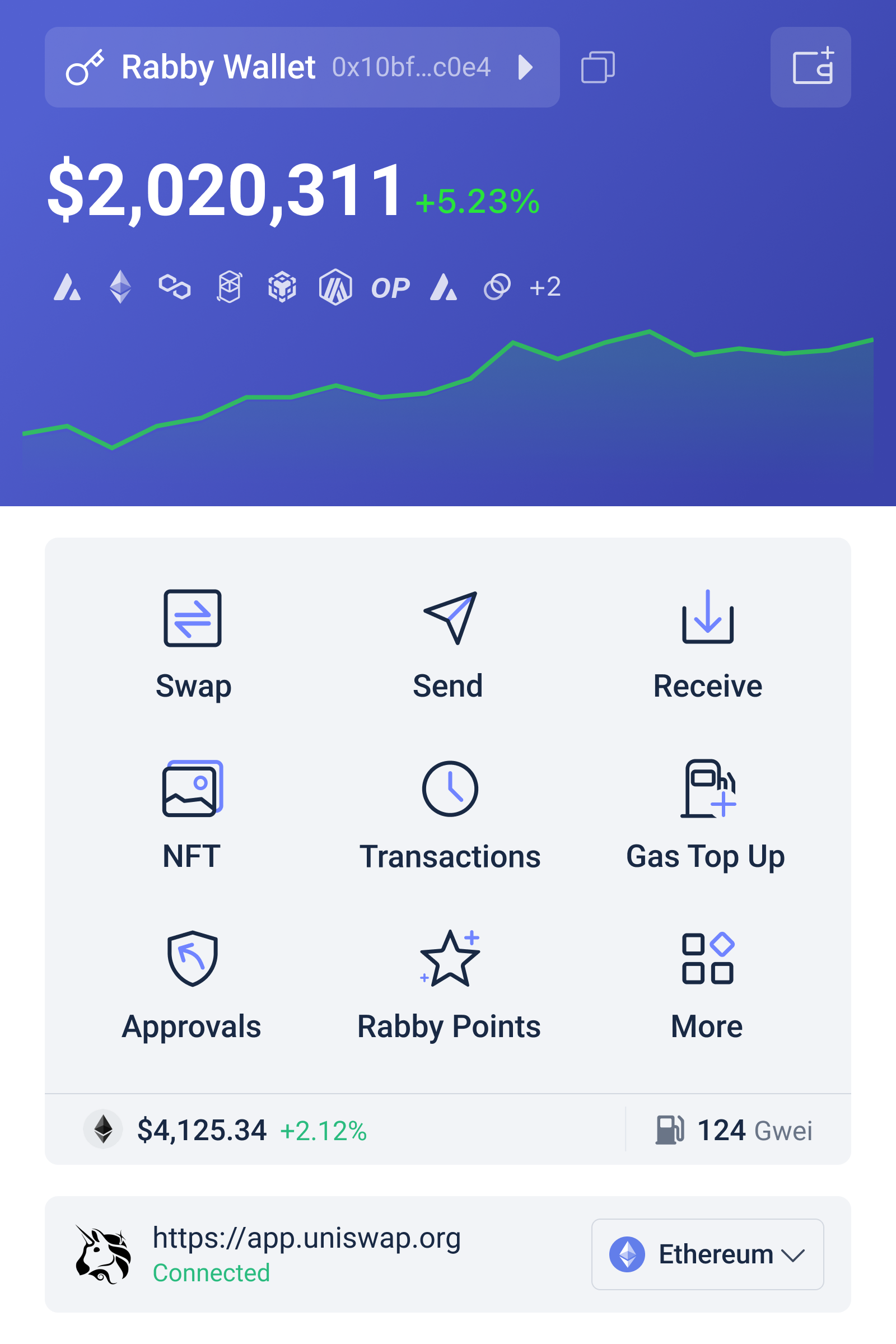
    Wallet interface illustrating how DeFi transaction details and security warnings can be reviewed before signing

    Myth One: A Web3 Wallet Is Just a Digital Keyring

    The traditional mental model is simple: a wallet stores cryptocurrency. Technically, that is incomplete. Assets remain recorded on blockchains; a wallet manages the cryptographic keys and produces signatures that authorize state changes. When you use a DeFi protocol, the wallet is the boundary between your intention and a smart contract’s execution.

    That boundary matters because a single transaction can contain more than “send this token.” It may call a contract, invoke a function, set an allowance, route an asset through multiple pools, or interact with a protocol deployed across several Ethereum Virtual Machine, or EVM, networks. The human-readable description shown by a decentralized application is useful, but it is not the blockchain’s final authority. The signed transaction is.

    This is where an advanced wallet such as rabby is potentially more valuable than a basic signing tool. Its purpose is not merely to hold keys, but to help users inspect the proposed interaction across EVM chains before approval. The distinction is important: a wallet can improve the quality of a decision without making the decision for you.

    What Transaction Simulation Actually Tells You

    Transaction simulation is best understood as a controlled preview. The wallet attempts to execute the proposed transaction in an environment that reflects the current blockchain state, then reports expected changes such as assets leaving the wallet, assets arriving, or permissions being modified. For a DeFi user, this can turn an unreadable contract call into a more practical question: “What will my address look like if I sign this?”

    That shift from intent to outcome is the technology’s most useful contribution. A swap interface may say that you are trading one asset for another. A simulation can help reveal whether the call appears to produce that outcome, whether an unexpected token is involved, and whether the wallet’s balance or approvals change in a way that deserves scrutiny. In a multi-step protocol interaction, the difference between the displayed promise and the simulated effect can be the earliest warning.

    But simulation is not proof of safety. It is a model of a transaction under particular conditions. Blockchain state can change between simulation and inclusion in a block. A protocol may depend on external prices, liquidity, block timing, oracle updates, or transactions that execute before yours. A malicious contract can also behave differently depending on the caller, block context, or execution path. Simulation therefore reduces some forms of uncertainty; it does not eliminate adversarial behavior or market risk.

    This is the central boundary condition. A warning system can identify a suspicious outcome, but it cannot establish that a protocol will remain solvent, that an asset has legitimate value, or that the economic terms of a trade are favorable. A simulation may show that you will receive the expected token while saying little about whether the token is liquid, redeemable, or governed by trustworthy code.

    Myth Two: “The Transaction Failed” Means “Nothing Happened”

    DeFi users often treat a failed transaction as a harmless event. That assumption is unsafe. A reverted transaction generally does not complete its intended state change, but the attempt may still consume network fees. More importantly, the surrounding workflow may include earlier approvals or separate transactions that did succeed. A failed swap does not automatically reverse a prior token allowance.

    Approvals deserve special attention because they change the permission structure of an address. When you approve a contract to spend a token, you are not sending the asset immediately; you are granting spending authority subject to the allowance. Broad or unlimited approvals can be convenient, but they create a larger exposure if the contract is compromised, upgraded unexpectedly, or used through a malicious interface.

    This is one reason transaction review should be treated as a sequence rather than a single green-light moment. Ask what is being authorized now, what was authorized earlier, and what permission will remain afterward. A wallet that highlights approvals and balance changes can make that sequence more visible, but the user still has to decide whether the permission is proportionate to the intended action.

    DeFi Protocol Risk Does Not Disappear Inside a Better Wallet

    A more informative wallet addresses a specific layer of risk: signing risk. It can help detect mismatches between a user’s expectation and the transaction’s apparent effects. DeFi itself adds several other layers.

    Smart-contract risk concerns bugs, flawed assumptions, upgrade mechanisms, and privileged roles. Economic risk includes slippage, impermanent loss, liquidation, thin liquidity, and oracle failures. Market risk can overwhelm a technically correct transaction if prices move sharply. Operational risk includes phishing sites, counterfeit tokens, compromised devices, and mistakes in chain or address selection. A wallet may assist with some of these problems, especially interface-level deception, while having limited visibility into others.

    The practical lesson is to separate “the transaction looks like I intended” from “the strategy is sensible.” Those are different claims. A lending deposit can be correctly represented and still expose you to liquidation or protocol insolvency. A bridge transaction can show the expected token movement and still depend on a cross-chain system with its own failure modes. Good signing hygiene is necessary, not sufficient.

    A Reusable Review Framework for Advanced Wallet Users

    Before signing a meaningful DeFi transaction, review it through four questions. First, identity: am I on the intended chain, using the intended contract, and interacting with the asset I think I am? Second, effect: what leaves the wallet, what arrives, and what changes in my balances or positions? Third, authority: does this transaction grant an allowance, transfer administrative control, or authorize future spending? Fourth, reversibility: if the protocol behaves badly or the market moves, what can I undo, and what cannot be recovered?

    This framework is more durable than memorizing a list of wallet warnings. It also helps explain why experienced users still lose funds. Familiarity can encourage rapid signing, while sophisticated strategies often involve more contracts, more chains, and more permissions. Complexity increases the number of places where an honest interface can still be misunderstood.

    For US users, there is an additional practical consideration: recordkeeping and operational discipline. Wallet activity may matter for tax reporting, portfolio attribution, and security investigations, even when a transaction is part of a complicated protocol route. A clear review process makes it easier to distinguish a swap from a liquidity position, a deposit from an approval, and a failed attempt from a completed action. It does not replace professional tax or legal advice, but it improves the underlying facts.

    What to Watch as Wallets Become More Interpretive

    The recent positioning of Rabby as a wallet for Ethereum and EVM networks reflects a broader direction in Web3: wallets are becoming interpretation layers rather than passive signature prompts. If users increasingly transact across many EVM chains, the value of chain recognition, contract context, simulation, and permission awareness may rise because the cost of confusion rises with network and protocol complexity.

    The unresolved question is how much interpretation users should trust. A warning engine depends on the quality of the information it can obtain and the assumptions it makes about contracts and state. If users treat a clean simulation as a guarantee, improved tooling could create a new form of overconfidence. The better future is not a wallet that removes judgment, but one that makes judgment more informed and makes uncertainty visible.

    The most defensible conclusion is modest but meaningful: a sophisticated Web3 wallet can move security from blind signing toward evidence-based signing. That is a substantial improvement when the alternative is approving contract calls on the basis of a familiar logo or a rushed pop-up. Yet the final responsibility remains distributed across the wallet, the protocol, the interface, the device, and the person holding the keys.

    Frequently Asked Questions

    Is transaction simulation a guarantee that a DeFi transaction is safe?

    No. Simulation can show expected effects under particular blockchain conditions, such as likely balance changes or permissions. It cannot guarantee that a contract is free of bugs, that an asset has value, that market conditions will remain stable, or that execution will be identical when the transaction is mined.

    Why should I review token approvals separately from swaps?

    An approval grants a contract permission to spend a token, while a swap is an intended exchange. The approval may remain active after the swap succeeds or fails. Reviewing both helps you understand not only what happens immediately, but also what authority the contract retains afterward.

    What is the most useful habit when using a Web3 wallet?

    Compare your intended action with the resulting effects before signing. Verify the chain and contract, inspect assets leaving and entering, check for new permissions, and consider whether the action is reversible. This habit remains useful even when wallet security features are strong.

  • The Wallet Is Not the Safety System: What DeFi Users Should Expect from Rabby

    A wallet can warn you about a dangerous transaction and still leave you fully exposed to a bad decision. That is the counterintuitive fact many DeFi users miss. Security is not created by a colorful interface or a “simulation” button; it emerges from how well a wallet translates opaque blockchain actions into consequences a person can inspect before signing.

    Consider a familiar US-based scenario. You connect to a new decentralized exchange, approve a token, and submit a swap that appears ordinary. The transaction succeeds, but the result is not what you expected: the approval was broader than necessary, the received asset was not the token you thought it was, or a contract interaction granted a third party more control than the interface made obvious. Nothing necessarily “broke.” The danger was hidden in the transaction’s meaning.

    Wallet interface illustrating how DeFi transaction details and security warnings can be reviewed before signing

    Myth One: A Web3 Wallet Is Just a Digital Keyring

    The traditional mental model is simple: a wallet stores cryptocurrency. Technically, that is incomplete. Assets remain recorded on blockchains; a wallet manages the cryptographic keys and produces signatures that authorize state changes. When you use a DeFi protocol, the wallet is the boundary between your intention and a smart contract’s execution.

    That boundary matters because a single transaction can contain more than “send this token.” It may call a contract, invoke a function, set an allowance, route an asset through multiple pools, or interact with a protocol deployed across several Ethereum Virtual Machine, or EVM, networks. The human-readable description shown by a decentralized application is useful, but it is not the blockchain’s final authority. The signed transaction is.

    This is where an advanced wallet such as rabby is potentially more valuable than a basic signing tool. Its purpose is not merely to hold keys, but to help users inspect the proposed interaction across EVM chains before approval. The distinction is important: a wallet can improve the quality of a decision without making the decision for you.

    What Transaction Simulation Actually Tells You

    Transaction simulation is best understood as a controlled preview. The wallet attempts to execute the proposed transaction in an environment that reflects the current blockchain state, then reports expected changes such as assets leaving the wallet, assets arriving, or permissions being modified. For a DeFi user, this can turn an unreadable contract call into a more practical question: “What will my address look like if I sign this?”

    That shift from intent to outcome is the technology’s most useful contribution. A swap interface may say that you are trading one asset for another. A simulation can help reveal whether the call appears to produce that outcome, whether an unexpected token is involved, and whether the wallet’s balance or approvals change in a way that deserves scrutiny. In a multi-step protocol interaction, the difference between the displayed promise and the simulated effect can be the earliest warning.

    But simulation is not proof of safety. It is a model of a transaction under particular conditions. Blockchain state can change between simulation and inclusion in a block. A protocol may depend on external prices, liquidity, block timing, oracle updates, or transactions that execute before yours. A malicious contract can also behave differently depending on the caller, block context, or execution path. Simulation therefore reduces some forms of uncertainty; it does not eliminate adversarial behavior or market risk.

    This is the central boundary condition. A warning system can identify a suspicious outcome, but it cannot establish that a protocol will remain solvent, that an asset has legitimate value, or that the economic terms of a trade are favorable. A simulation may show that you will receive the expected token while saying little about whether the token is liquid, redeemable, or governed by trustworthy code.

    Myth Two: “The Transaction Failed” Means “Nothing Happened”

    DeFi users often treat a failed transaction as a harmless event. That assumption is unsafe. A reverted transaction generally does not complete its intended state change, but the attempt may still consume network fees. More importantly, the surrounding workflow may include earlier approvals or separate transactions that did succeed. A failed swap does not automatically reverse a prior token allowance.

    Approvals deserve special attention because they change the permission structure of an address. When you approve a contract to spend a token, you are not sending the asset immediately; you are granting spending authority subject to the allowance. Broad or unlimited approvals can be convenient, but they create a larger exposure if the contract is compromised, upgraded unexpectedly, or used through a malicious interface.

    This is one reason transaction review should be treated as a sequence rather than a single green-light moment. Ask what is being authorized now, what was authorized earlier, and what permission will remain afterward. A wallet that highlights approvals and balance changes can make that sequence more visible, but the user still has to decide whether the permission is proportionate to the intended action.

    DeFi Protocol Risk Does Not Disappear Inside a Better Wallet

    A more informative wallet addresses a specific layer of risk: signing risk. It can help detect mismatches between a user’s expectation and the transaction’s apparent effects. DeFi itself adds several other layers.

    Smart-contract risk concerns bugs, flawed assumptions, upgrade mechanisms, and privileged roles. Economic risk includes slippage, impermanent loss, liquidation, thin liquidity, and oracle failures. Market risk can overwhelm a technically correct transaction if prices move sharply. Operational risk includes phishing sites, counterfeit tokens, compromised devices, and mistakes in chain or address selection. A wallet may assist with some of these problems, especially interface-level deception, while having limited visibility into others.

    The practical lesson is to separate “the transaction looks like I intended” from “the strategy is sensible.” Those are different claims. A lending deposit can be correctly represented and still expose you to liquidation or protocol insolvency. A bridge transaction can show the expected token movement and still depend on a cross-chain system with its own failure modes. Good signing hygiene is necessary, not sufficient.

    A Reusable Review Framework for Advanced Wallet Users

    Before signing a meaningful DeFi transaction, review it through four questions. First, identity: am I on the intended chain, using the intended contract, and interacting with the asset I think I am? Second, effect: what leaves the wallet, what arrives, and what changes in my balances or positions? Third, authority: does this transaction grant an allowance, transfer administrative control, or authorize future spending? Fourth, reversibility: if the protocol behaves badly or the market moves, what can I undo, and what cannot be recovered?

    This framework is more durable than memorizing a list of wallet warnings. It also helps explain why experienced users still lose funds. Familiarity can encourage rapid signing, while sophisticated strategies often involve more contracts, more chains, and more permissions. Complexity increases the number of places where an honest interface can still be misunderstood.

    For US users, there is an additional practical consideration: recordkeeping and operational discipline. Wallet activity may matter for tax reporting, portfolio attribution, and security investigations, even when a transaction is part of a complicated protocol route. A clear review process makes it easier to distinguish a swap from a liquidity position, a deposit from an approval, and a failed attempt from a completed action. It does not replace professional tax or legal advice, but it improves the underlying facts.

    What to Watch as Wallets Become More Interpretive

    The recent positioning of Rabby as a wallet for Ethereum and EVM networks reflects a broader direction in Web3: wallets are becoming interpretation layers rather than passive signature prompts. If users increasingly transact across many EVM chains, the value of chain recognition, contract context, simulation, and permission awareness may rise because the cost of confusion rises with network and protocol complexity.

    The unresolved question is how much interpretation users should trust. A warning engine depends on the quality of the information it can obtain and the assumptions it makes about contracts and state. If users treat a clean simulation as a guarantee, improved tooling could create a new form of overconfidence. The better future is not a wallet that removes judgment, but one that makes judgment more informed and makes uncertainty visible.

    The most defensible conclusion is modest but meaningful: a sophisticated Web3 wallet can move security from blind signing toward evidence-based signing. That is a substantial improvement when the alternative is approving contract calls on the basis of a familiar logo or a rushed pop-up. Yet the final responsibility remains distributed across the wallet, the protocol, the interface, the device, and the person holding the keys.

    Frequently Asked Questions

    Is transaction simulation a guarantee that a DeFi transaction is safe?

    No. Simulation can show expected effects under particular blockchain conditions, such as likely balance changes or permissions. It cannot guarantee that a contract is free of bugs, that an asset has value, that market conditions will remain stable, or that execution will be identical when the transaction is mined.

    Why should I review token approvals separately from swaps?

    An approval grants a contract permission to spend a token, while a swap is an intended exchange. The approval may remain active after the swap succeeds or fails. Reviewing both helps you understand not only what happens immediately, but also what authority the contract retains afterward.

    What is the most useful habit when using a Web3 wallet?

    Compare your intended action with the resulting effects before signing. Verify the chain and contract, inspect assets leaving and entering, check for new permissions, and consider whether the action is reversible. This habit remains useful even when wallet security features are strong.

  • The Wallet Is Not the Safety System: What DeFi Users Should Expect from Rabby

    A wallet can warn you about a dangerous transaction and still leave you fully exposed to a bad decision. That is the counterintuitive fact many DeFi users miss. Security is not created by a colorful interface or a “simulation” button; it emerges from how well a wallet translates opaque blockchain actions into consequences a person can inspect before signing.

    Consider a familiar US-based scenario. You connect to a new decentralized exchange, approve a token, and submit a swap that appears ordinary. The transaction succeeds, but the result is not what you expected: the approval was broader than necessary, the received asset was not the token you thought it was, or a contract interaction granted a third party more control than the interface made obvious. Nothing necessarily “broke.” The danger was hidden in the transaction’s meaning.

    Wallet interface illustrating how DeFi transaction details and security warnings can be reviewed before signing

    Myth One: A Web3 Wallet Is Just a Digital Keyring

    The traditional mental model is simple: a wallet stores cryptocurrency. Technically, that is incomplete. Assets remain recorded on blockchains; a wallet manages the cryptographic keys and produces signatures that authorize state changes. When you use a DeFi protocol, the wallet is the boundary between your intention and a smart contract’s execution.

    That boundary matters because a single transaction can contain more than “send this token.” It may call a contract, invoke a function, set an allowance, route an asset through multiple pools, or interact with a protocol deployed across several Ethereum Virtual Machine, or EVM, networks. The human-readable description shown by a decentralized application is useful, but it is not the blockchain’s final authority. The signed transaction is.

    This is where an advanced wallet such as rabby is potentially more valuable than a basic signing tool. Its purpose is not merely to hold keys, but to help users inspect the proposed interaction across EVM chains before approval. The distinction is important: a wallet can improve the quality of a decision without making the decision for you.

    What Transaction Simulation Actually Tells You

    Transaction simulation is best understood as a controlled preview. The wallet attempts to execute the proposed transaction in an environment that reflects the current blockchain state, then reports expected changes such as assets leaving the wallet, assets arriving, or permissions being modified. For a DeFi user, this can turn an unreadable contract call into a more practical question: “What will my address look like if I sign this?”

    That shift from intent to outcome is the technology’s most useful contribution. A swap interface may say that you are trading one asset for another. A simulation can help reveal whether the call appears to produce that outcome, whether an unexpected token is involved, and whether the wallet’s balance or approvals change in a way that deserves scrutiny. In a multi-step protocol interaction, the difference between the displayed promise and the simulated effect can be the earliest warning.

    But simulation is not proof of safety. It is a model of a transaction under particular conditions. Blockchain state can change between simulation and inclusion in a block. A protocol may depend on external prices, liquidity, block timing, oracle updates, or transactions that execute before yours. A malicious contract can also behave differently depending on the caller, block context, or execution path. Simulation therefore reduces some forms of uncertainty; it does not eliminate adversarial behavior or market risk.

    This is the central boundary condition. A warning system can identify a suspicious outcome, but it cannot establish that a protocol will remain solvent, that an asset has legitimate value, or that the economic terms of a trade are favorable. A simulation may show that you will receive the expected token while saying little about whether the token is liquid, redeemable, or governed by trustworthy code.

    Myth Two: “The Transaction Failed” Means “Nothing Happened”

    DeFi users often treat a failed transaction as a harmless event. That assumption is unsafe. A reverted transaction generally does not complete its intended state change, but the attempt may still consume network fees. More importantly, the surrounding workflow may include earlier approvals or separate transactions that did succeed. A failed swap does not automatically reverse a prior token allowance.

    Approvals deserve special attention because they change the permission structure of an address. When you approve a contract to spend a token, you are not sending the asset immediately; you are granting spending authority subject to the allowance. Broad or unlimited approvals can be convenient, but they create a larger exposure if the contract is compromised, upgraded unexpectedly, or used through a malicious interface.

    This is one reason transaction review should be treated as a sequence rather than a single green-light moment. Ask what is being authorized now, what was authorized earlier, and what permission will remain afterward. A wallet that highlights approvals and balance changes can make that sequence more visible, but the user still has to decide whether the permission is proportionate to the intended action.

    DeFi Protocol Risk Does Not Disappear Inside a Better Wallet

    A more informative wallet addresses a specific layer of risk: signing risk. It can help detect mismatches between a user’s expectation and the transaction’s apparent effects. DeFi itself adds several other layers.

    Smart-contract risk concerns bugs, flawed assumptions, upgrade mechanisms, and privileged roles. Economic risk includes slippage, impermanent loss, liquidation, thin liquidity, and oracle failures. Market risk can overwhelm a technically correct transaction if prices move sharply. Operational risk includes phishing sites, counterfeit tokens, compromised devices, and mistakes in chain or address selection. A wallet may assist with some of these problems, especially interface-level deception, while having limited visibility into others.

    The practical lesson is to separate “the transaction looks like I intended” from “the strategy is sensible.” Those are different claims. A lending deposit can be correctly represented and still expose you to liquidation or protocol insolvency. A bridge transaction can show the expected token movement and still depend on a cross-chain system with its own failure modes. Good signing hygiene is necessary, not sufficient.

    A Reusable Review Framework for Advanced Wallet Users

    Before signing a meaningful DeFi transaction, review it through four questions. First, identity: am I on the intended chain, using the intended contract, and interacting with the asset I think I am? Second, effect: what leaves the wallet, what arrives, and what changes in my balances or positions? Third, authority: does this transaction grant an allowance, transfer administrative control, or authorize future spending? Fourth, reversibility: if the protocol behaves badly or the market moves, what can I undo, and what cannot be recovered?

    This framework is more durable than memorizing a list of wallet warnings. It also helps explain why experienced users still lose funds. Familiarity can encourage rapid signing, while sophisticated strategies often involve more contracts, more chains, and more permissions. Complexity increases the number of places where an honest interface can still be misunderstood.

    For US users, there is an additional practical consideration: recordkeeping and operational discipline. Wallet activity may matter for tax reporting, portfolio attribution, and security investigations, even when a transaction is part of a complicated protocol route. A clear review process makes it easier to distinguish a swap from a liquidity position, a deposit from an approval, and a failed attempt from a completed action. It does not replace professional tax or legal advice, but it improves the underlying facts.

    What to Watch as Wallets Become More Interpretive

    The recent positioning of Rabby as a wallet for Ethereum and EVM networks reflects a broader direction in Web3: wallets are becoming interpretation layers rather than passive signature prompts. If users increasingly transact across many EVM chains, the value of chain recognition, contract context, simulation, and permission awareness may rise because the cost of confusion rises with network and protocol complexity.

    The unresolved question is how much interpretation users should trust. A warning engine depends on the quality of the information it can obtain and the assumptions it makes about contracts and state. If users treat a clean simulation as a guarantee, improved tooling could create a new form of overconfidence. The better future is not a wallet that removes judgment, but one that makes judgment more informed and makes uncertainty visible.

    The most defensible conclusion is modest but meaningful: a sophisticated Web3 wallet can move security from blind signing toward evidence-based signing. That is a substantial improvement when the alternative is approving contract calls on the basis of a familiar logo or a rushed pop-up. Yet the final responsibility remains distributed across the wallet, the protocol, the interface, the device, and the person holding the keys.

    Frequently Asked Questions

    Is transaction simulation a guarantee that a DeFi transaction is safe?

    No. Simulation can show expected effects under particular blockchain conditions, such as likely balance changes or permissions. It cannot guarantee that a contract is free of bugs, that an asset has value, that market conditions will remain stable, or that execution will be identical when the transaction is mined.

    Why should I review token approvals separately from swaps?

    An approval grants a contract permission to spend a token, while a swap is an intended exchange. The approval may remain active after the swap succeeds or fails. Reviewing both helps you understand not only what happens immediately, but also what authority the contract retains afterward.

    What is the most useful habit when using a Web3 wallet?

    Compare your intended action with the resulting effects before signing. Verify the chain and contract, inspect assets leaving and entering, check for new permissions, and consider whether the action is reversible. This habit remains useful even when wallet security features are strong.

  • The Wallet Is Not the Safety System: What DeFi Users Should Expect from Rabby

    A wallet can warn you about a dangerous transaction and still leave you fully exposed to a bad decision. That is the counterintuitive fact many DeFi users miss. Security is not created by a colorful interface or a “simulation” button; it emerges from how well a wallet translates opaque blockchain actions into consequences a person can inspect before signing.

    Consider a familiar US-based scenario. You connect to a new decentralized exchange, approve a token, and submit a swap that appears ordinary. The transaction succeeds, but the result is not what you expected: the approval was broader than necessary, the received asset was not the token you thought it was, or a contract interaction granted a third party more control than the interface made obvious. Nothing necessarily “broke.” The danger was hidden in the transaction’s meaning.

    Wallet interface illustrating how DeFi transaction details and security warnings can be reviewed before signing

    Myth One: A Web3 Wallet Is Just a Digital Keyring

    The traditional mental model is simple: a wallet stores cryptocurrency. Technically, that is incomplete. Assets remain recorded on blockchains; a wallet manages the cryptographic keys and produces signatures that authorize state changes. When you use a DeFi protocol, the wallet is the boundary between your intention and a smart contract’s execution.

    That boundary matters because a single transaction can contain more than “send this token.” It may call a contract, invoke a function, set an allowance, route an asset through multiple pools, or interact with a protocol deployed across several Ethereum Virtual Machine, or EVM, networks. The human-readable description shown by a decentralized application is useful, but it is not the blockchain’s final authority. The signed transaction is.

    This is where an advanced wallet such as rabby is potentially more valuable than a basic signing tool. Its purpose is not merely to hold keys, but to help users inspect the proposed interaction across EVM chains before approval. The distinction is important: a wallet can improve the quality of a decision without making the decision for you.

    What Transaction Simulation Actually Tells You

    Transaction simulation is best understood as a controlled preview. The wallet attempts to execute the proposed transaction in an environment that reflects the current blockchain state, then reports expected changes such as assets leaving the wallet, assets arriving, or permissions being modified. For a DeFi user, this can turn an unreadable contract call into a more practical question: “What will my address look like if I sign this?”

    That shift from intent to outcome is the technology’s most useful contribution. A swap interface may say that you are trading one asset for another. A simulation can help reveal whether the call appears to produce that outcome, whether an unexpected token is involved, and whether the wallet’s balance or approvals change in a way that deserves scrutiny. In a multi-step protocol interaction, the difference between the displayed promise and the simulated effect can be the earliest warning.

    But simulation is not proof of safety. It is a model of a transaction under particular conditions. Blockchain state can change between simulation and inclusion in a block. A protocol may depend on external prices, liquidity, block timing, oracle updates, or transactions that execute before yours. A malicious contract can also behave differently depending on the caller, block context, or execution path. Simulation therefore reduces some forms of uncertainty; it does not eliminate adversarial behavior or market risk.

    This is the central boundary condition. A warning system can identify a suspicious outcome, but it cannot establish that a protocol will remain solvent, that an asset has legitimate value, or that the economic terms of a trade are favorable. A simulation may show that you will receive the expected token while saying little about whether the token is liquid, redeemable, or governed by trustworthy code.

    Myth Two: “The Transaction Failed” Means “Nothing Happened”

    DeFi users often treat a failed transaction as a harmless event. That assumption is unsafe. A reverted transaction generally does not complete its intended state change, but the attempt may still consume network fees. More importantly, the surrounding workflow may include earlier approvals or separate transactions that did succeed. A failed swap does not automatically reverse a prior token allowance.

    Approvals deserve special attention because they change the permission structure of an address. When you approve a contract to spend a token, you are not sending the asset immediately; you are granting spending authority subject to the allowance. Broad or unlimited approvals can be convenient, but they create a larger exposure if the contract is compromised, upgraded unexpectedly, or used through a malicious interface.

    This is one reason transaction review should be treated as a sequence rather than a single green-light moment. Ask what is being authorized now, what was authorized earlier, and what permission will remain afterward. A wallet that highlights approvals and balance changes can make that sequence more visible, but the user still has to decide whether the permission is proportionate to the intended action.

    DeFi Protocol Risk Does Not Disappear Inside a Better Wallet

    A more informative wallet addresses a specific layer of risk: signing risk. It can help detect mismatches between a user’s expectation and the transaction’s apparent effects. DeFi itself adds several other layers.

    Smart-contract risk concerns bugs, flawed assumptions, upgrade mechanisms, and privileged roles. Economic risk includes slippage, impermanent loss, liquidation, thin liquidity, and oracle failures. Market risk can overwhelm a technically correct transaction if prices move sharply. Operational risk includes phishing sites, counterfeit tokens, compromised devices, and mistakes in chain or address selection. A wallet may assist with some of these problems, especially interface-level deception, while having limited visibility into others.

    The practical lesson is to separate “the transaction looks like I intended” from “the strategy is sensible.” Those are different claims. A lending deposit can be correctly represented and still expose you to liquidation or protocol insolvency. A bridge transaction can show the expected token movement and still depend on a cross-chain system with its own failure modes. Good signing hygiene is necessary, not sufficient.

    A Reusable Review Framework for Advanced Wallet Users

    Before signing a meaningful DeFi transaction, review it through four questions. First, identity: am I on the intended chain, using the intended contract, and interacting with the asset I think I am? Second, effect: what leaves the wallet, what arrives, and what changes in my balances or positions? Third, authority: does this transaction grant an allowance, transfer administrative control, or authorize future spending? Fourth, reversibility: if the protocol behaves badly or the market moves, what can I undo, and what cannot be recovered?

    This framework is more durable than memorizing a list of wallet warnings. It also helps explain why experienced users still lose funds. Familiarity can encourage rapid signing, while sophisticated strategies often involve more contracts, more chains, and more permissions. Complexity increases the number of places where an honest interface can still be misunderstood.

    For US users, there is an additional practical consideration: recordkeeping and operational discipline. Wallet activity may matter for tax reporting, portfolio attribution, and security investigations, even when a transaction is part of a complicated protocol route. A clear review process makes it easier to distinguish a swap from a liquidity position, a deposit from an approval, and a failed attempt from a completed action. It does not replace professional tax or legal advice, but it improves the underlying facts.

    What to Watch as Wallets Become More Interpretive

    The recent positioning of Rabby as a wallet for Ethereum and EVM networks reflects a broader direction in Web3: wallets are becoming interpretation layers rather than passive signature prompts. If users increasingly transact across many EVM chains, the value of chain recognition, contract context, simulation, and permission awareness may rise because the cost of confusion rises with network and protocol complexity.

    The unresolved question is how much interpretation users should trust. A warning engine depends on the quality of the information it can obtain and the assumptions it makes about contracts and state. If users treat a clean simulation as a guarantee, improved tooling could create a new form of overconfidence. The better future is not a wallet that removes judgment, but one that makes judgment more informed and makes uncertainty visible.

    The most defensible conclusion is modest but meaningful: a sophisticated Web3 wallet can move security from blind signing toward evidence-based signing. That is a substantial improvement when the alternative is approving contract calls on the basis of a familiar logo or a rushed pop-up. Yet the final responsibility remains distributed across the wallet, the protocol, the interface, the device, and the person holding the keys.

    Frequently Asked Questions

    Is transaction simulation a guarantee that a DeFi transaction is safe?

    No. Simulation can show expected effects under particular blockchain conditions, such as likely balance changes or permissions. It cannot guarantee that a contract is free of bugs, that an asset has value, that market conditions will remain stable, or that execution will be identical when the transaction is mined.

    Why should I review token approvals separately from swaps?

    An approval grants a contract permission to spend a token, while a swap is an intended exchange. The approval may remain active after the swap succeeds or fails. Reviewing both helps you understand not only what happens immediately, but also what authority the contract retains afterward.

    What is the most useful habit when using a Web3 wallet?

    Compare your intended action with the resulting effects before signing. Verify the chain and contract, inspect assets leaving and entering, check for new permissions, and consider whether the action is reversible. This habit remains useful even when wallet security features are strong.

  • ChatGPT for Windows and Mac: Why the Desktop App Is Really a Security Decision

    You are working on a proposal, a spreadsheet, or a stubborn software bug when a question appears that would take ten minutes to research properly. The browser is open, but so are several unrelated tabs, and moving between them breaks the thread of work. A desktop assistant promises a simpler answer: summon ChatGPT, ask the question, attach a file or screenshot, and continue. That convenience is real, but it is not the whole story.

    The important question is not merely whether ChatGPT for Windows or ChatGPT for Mac can answer questions. It is whether the desktop app changes how information enters an AI system, how quickly users act on its output, and how carefully they verify what happens next. The app is best understood as a productivity layer with a larger attack surface than a casual web search—not necessarily dangerous, but deserving of deliberate habits.

    ChatGPT desktop access for analyzing work files, screenshots, and text

    What the ChatGPT desktop app changes

    ChatGPT is an AI assistant for writing, analysis, coding, brainstorming, learning, and general productivity. Those functions are available across web, mobile, and desktop experiences, so the desktop version is not a completely separate intelligence. Its distinctive value is proximity. A keyboard shortcut or compact companion window can make the assistant available while another application remains in focus.

    That small change affects behavior. A browser session encourages a person to formulate a question, open a tab, and deliberately move information into the conversation. A desktop companion window reduces those steps. Users can ask about visible text, files, screenshots, or an active task with less interruption. The gain is less about raw capability than about lowering the “friction cost” of asking for help.

    Lower friction can improve productivity, especially for repetitive drafting, document explanation, and code work. It can also reduce reflection. When an assistant is always one keystroke away, users may submit material before deciding whether it contains confidential information or whether the question is sufficiently precise. Convenience therefore creates a practical risk-management problem: the easier it is to share context, the more important it becomes to classify that context before sharing it.

    Windows and Mac: similar purpose, different operating environments

    ChatGPT for Windows and ChatGPT for Mac serve the same broad purpose: quick access to an AI assistant alongside ordinary desktop work. In both cases, users may use keyboard-based entry points, bring files and images into conversations, ask for summaries or explanations, and work through writing or coding problems. Voice interactions may also be available when the account, device, region, and app version support them.

    The practical difference is less likely to be the assistant’s basic role than the surrounding computer environment. Windows and macOS have different permission models, update processes, security tools, and organizational policies. On a personal computer, the main risks may involve a misleading installer, an exposed account, or accidental disclosure in a screenshot. On a managed workplace computer, administrators may impose controls on applications, connectors, file access, or data handling.

    Users should also avoid assuming that a feature seen in one account will appear in another. Available models, tools, memory behavior, connectors, and administrative controls can vary by subscription and organization settings. A missing feature is not necessarily a failed installation, and an available feature is not necessarily appropriate for every kind of information. Capability and authorization are separate questions.

    For anyone installing the software, the safest starting point is an official ChatGPT or OpenAI download page or a trusted app store. A search result that says “free desktop download” may lead to a third-party installer, bundled software, or a counterfeit application. Readers looking for the chatgpt app should verify the publisher, domain, permissions, and update source before opening an installer. The installation step is part of the security boundary, not a minor formality.

    The hidden workflow: capture, inference, action

    A useful mental model for desktop AI has three stages: capture, inference, and action. Capture is what the user supplies, such as a prompt, document, image, screenshot, or voice input. Inference is the assistant’s processing and generation of an answer. Action is what the user does with that answer—pastes it into an email, changes code, edits a report, or makes a decision.

    Most discussions focus on inference: how capable the model is. In practice, many failures begin earlier or later. A screenshot can contain a customer name, a browser tab, an access token, or a private message that the user did not intend to share. At the action stage, a fluent answer can be mistaken for a verified answer. The system may produce a plausible explanation of code while overlooking an edge case, or summarize a document without knowing which details matter legally or operationally.

    This is why the desktop app should not be treated as an autonomous authority. It is better viewed as a fast context processor whose output still requires human review. For low-stakes drafting, the review may be light. For financial, legal, employment, medical, security, or production-code decisions, review should be explicit and proportionate to the consequences of error.

    Where the app is especially useful

    The desktop format is well suited to tasks in which context is already present on the computer. A user can ask for a plain-language explanation of a technical passage, turn rough notes into an outline, compare two sections of a document, or inspect a screenshot for visible problems. Developers commonly use ChatGPT to explain code, draft changes, debug issues, and reason through implementation choices. The strongest workflow is usually iterative: provide a bounded piece of context, ask for a specific transformation, inspect the result, and test or revise it.

    Voice can change the rhythm of this process. When supported, conversational voice interaction is useful for brainstorming, practicing an explanation, or thinking through a task while away from the keyboard. It is less suitable for sensitive conversations in shared spaces or for situations in which a spoken misunderstanding would be costly. Voice reduces typing friction, but it can also make users less aware of exactly what information they have communicated.

    File and image support introduces another important distinction: access is not the same as understanding. An assistant may be able to read a file or inspect an image, yet still miss a key qualification, ambiguous notation, hidden metadata, or a detail outside the supplied context. The more consequential the task, the more useful it is to ask the assistant to state assumptions and identify uncertainty rather than simply produce a polished conclusion.

    A practical security discipline for everyday use

    Good desktop-AI hygiene does not require treating every prompt as a crisis. It requires a repeatable pause before submission. First, identify the sensitivity of the material. Is it public, internal, personal, confidential, regulated, or security-critical? Second, minimize the input. Remove names, account numbers, credentials, private correspondence, and irrelevant pages when they are not needed for the task. Third, separate assistance from authorization: an AI-generated draft should not automatically become an approved communication or code change.

    Users should be particularly careful with screenshots. Cropping is often more valuable than adding a warning in the prompt, because it removes information before transmission. The same principle applies to documents: provide the smallest useful excerpt rather than an entire folder or mailbox. If an organization supplies rules for AI tools, those rules should take priority over personal convenience.

    Account protection matters as well. A desktop application can make access easier, but a compromised account can expose conversation history or connected functionality. Use the security controls available to the account, keep the operating system and application updated through legitimate channels, and be cautious when a prompt asks the assistant to handle actions whose consequences are difficult to reverse. The objective is not to eliminate all risk; it is to keep the risk visible and bounded.

    What to watch next

    The recent positioning of ChatGPT as a place to chat, work, create, and code suggests a continuing convergence of assistant functions. If more tasks move into one desktop surface, the central design challenge will be context management: deciding which files, applications, memories, or tools should be available for a particular request. The likely benefit is less switching between software. The corresponding concern is that users may lose track of what context is being used and which parts of an answer are generated rather than verified.

    That makes transparency more valuable than novelty. Features that clearly show the source of supplied context, the limits of a tool, and the status of an action could improve trust more than features that merely make the assistant feel more seamless. Whether that balance is achieved will depend on account settings, organizational controls, product design, and user discipline. The desktop app’s future usefulness will therefore be measured not only by what it can do, but by how clearly it communicates what it has done.

    FAQ

    Is ChatGPT for Windows or Mac better than using ChatGPT in a browser?

    Neither is universally better. The desktop app is useful when keyboard access, a companion window, file handling, screenshots, or voice interaction can reduce interruption. A browser may be preferable on a shared computer, under strict installation policies, or when minimizing local applications is important. The best choice depends on workflow, permissions, and the sensitivity of the material.

    How can I download the ChatGPT desktop app safely?

    Use an official ChatGPT or OpenAI download page or a trusted app store. Check the publisher and installation source, avoid unofficial “modified” versions, and keep the application updated through its legitimate channel. Do not assume that a prominent search result is an official download.

    Can I trust ChatGPT with confidential files?

    That depends on the account, organization policy, applicable privacy requirements, and the nature of the file. Before uploading anything sensitive, minimize the data, remove unnecessary identifiers, and confirm that the tool is approved for that use. Even when uploading is permitted, generated answers require verification.

    What is the most important limitation of the desktop app?

    Speed and convenience do not guarantee accuracy or appropriate judgment. The assistant can help interpret context, but it may misunderstand a request, omit a qualification, or generate plausible errors. Treat it as an efficient collaborator for bounded tasks, not as a final authority.

    The strongest case for ChatGPT on Windows or Mac is not that it replaces every other tool. It is that it shortens the distance between a problem and a useful first pass. Used carefully, that can improve writing, coding, research, and everyday organization. Used casually, the same proximity can encourage oversharing and unverified action. The desktop app is therefore both a productivity instrument and a boundary-management instrument. Its value depends on handling both sides of that equation.

  • ChatGPT for Windows and Mac: Why the Desktop App Is Really a Security Decision

    You are working on a proposal, a spreadsheet, or a stubborn software bug when a question appears that would take ten minutes to research properly. The browser is open, but so are several unrelated tabs, and moving between them breaks the thread of work. A desktop assistant promises a simpler answer: summon ChatGPT, ask the question, attach a file or screenshot, and continue. That convenience is real, but it is not the whole story.

    The important question is not merely whether ChatGPT for Windows or ChatGPT for Mac can answer questions. It is whether the desktop app changes how information enters an AI system, how quickly users act on its output, and how carefully they verify what happens next. The app is best understood as a productivity layer with a larger attack surface than a casual web search—not necessarily dangerous, but deserving of deliberate habits.

    ChatGPT desktop access for analyzing work files, screenshots, and text

    What the ChatGPT desktop app changes

    ChatGPT is an AI assistant for writing, analysis, coding, brainstorming, learning, and general productivity. Those functions are available across web, mobile, and desktop experiences, so the desktop version is not a completely separate intelligence. Its distinctive value is proximity. A keyboard shortcut or compact companion window can make the assistant available while another application remains in focus.

    That small change affects behavior. A browser session encourages a person to formulate a question, open a tab, and deliberately move information into the conversation. A desktop companion window reduces those steps. Users can ask about visible text, files, screenshots, or an active task with less interruption. The gain is less about raw capability than about lowering the “friction cost” of asking for help.

    Lower friction can improve productivity, especially for repetitive drafting, document explanation, and code work. It can also reduce reflection. When an assistant is always one keystroke away, users may submit material before deciding whether it contains confidential information or whether the question is sufficiently precise. Convenience therefore creates a practical risk-management problem: the easier it is to share context, the more important it becomes to classify that context before sharing it.

    Windows and Mac: similar purpose, different operating environments

    ChatGPT for Windows and ChatGPT for Mac serve the same broad purpose: quick access to an AI assistant alongside ordinary desktop work. In both cases, users may use keyboard-based entry points, bring files and images into conversations, ask for summaries or explanations, and work through writing or coding problems. Voice interactions may also be available when the account, device, region, and app version support them.

    The practical difference is less likely to be the assistant’s basic role than the surrounding computer environment. Windows and macOS have different permission models, update processes, security tools, and organizational policies. On a personal computer, the main risks may involve a misleading installer, an exposed account, or accidental disclosure in a screenshot. On a managed workplace computer, administrators may impose controls on applications, connectors, file access, or data handling.

    Users should also avoid assuming that a feature seen in one account will appear in another. Available models, tools, memory behavior, connectors, and administrative controls can vary by subscription and organization settings. A missing feature is not necessarily a failed installation, and an available feature is not necessarily appropriate for every kind of information. Capability and authorization are separate questions.

    For anyone installing the software, the safest starting point is an official ChatGPT or OpenAI download page or a trusted app store. A search result that says “free desktop download” may lead to a third-party installer, bundled software, or a counterfeit application. Readers looking for the chatgpt app should verify the publisher, domain, permissions, and update source before opening an installer. The installation step is part of the security boundary, not a minor formality.

    The hidden workflow: capture, inference, action

    A useful mental model for desktop AI has three stages: capture, inference, and action. Capture is what the user supplies, such as a prompt, document, image, screenshot, or voice input. Inference is the assistant’s processing and generation of an answer. Action is what the user does with that answer—pastes it into an email, changes code, edits a report, or makes a decision.

    Most discussions focus on inference: how capable the model is. In practice, many failures begin earlier or later. A screenshot can contain a customer name, a browser tab, an access token, or a private message that the user did not intend to share. At the action stage, a fluent answer can be mistaken for a verified answer. The system may produce a plausible explanation of code while overlooking an edge case, or summarize a document without knowing which details matter legally or operationally.

    This is why the desktop app should not be treated as an autonomous authority. It is better viewed as a fast context processor whose output still requires human review. For low-stakes drafting, the review may be light. For financial, legal, employment, medical, security, or production-code decisions, review should be explicit and proportionate to the consequences of error.

    Where the app is especially useful

    The desktop format is well suited to tasks in which context is already present on the computer. A user can ask for a plain-language explanation of a technical passage, turn rough notes into an outline, compare two sections of a document, or inspect a screenshot for visible problems. Developers commonly use ChatGPT to explain code, draft changes, debug issues, and reason through implementation choices. The strongest workflow is usually iterative: provide a bounded piece of context, ask for a specific transformation, inspect the result, and test or revise it.

    Voice can change the rhythm of this process. When supported, conversational voice interaction is useful for brainstorming, practicing an explanation, or thinking through a task while away from the keyboard. It is less suitable for sensitive conversations in shared spaces or for situations in which a spoken misunderstanding would be costly. Voice reduces typing friction, but it can also make users less aware of exactly what information they have communicated.

    File and image support introduces another important distinction: access is not the same as understanding. An assistant may be able to read a file or inspect an image, yet still miss a key qualification, ambiguous notation, hidden metadata, or a detail outside the supplied context. The more consequential the task, the more useful it is to ask the assistant to state assumptions and identify uncertainty rather than simply produce a polished conclusion.

    A practical security discipline for everyday use

    Good desktop-AI hygiene does not require treating every prompt as a crisis. It requires a repeatable pause before submission. First, identify the sensitivity of the material. Is it public, internal, personal, confidential, regulated, or security-critical? Second, minimize the input. Remove names, account numbers, credentials, private correspondence, and irrelevant pages when they are not needed for the task. Third, separate assistance from authorization: an AI-generated draft should not automatically become an approved communication or code change.

    Users should be particularly careful with screenshots. Cropping is often more valuable than adding a warning in the prompt, because it removes information before transmission. The same principle applies to documents: provide the smallest useful excerpt rather than an entire folder or mailbox. If an organization supplies rules for AI tools, those rules should take priority over personal convenience.

    Account protection matters as well. A desktop application can make access easier, but a compromised account can expose conversation history or connected functionality. Use the security controls available to the account, keep the operating system and application updated through legitimate channels, and be cautious when a prompt asks the assistant to handle actions whose consequences are difficult to reverse. The objective is not to eliminate all risk; it is to keep the risk visible and bounded.

    What to watch next

    The recent positioning of ChatGPT as a place to chat, work, create, and code suggests a continuing convergence of assistant functions. If more tasks move into one desktop surface, the central design challenge will be context management: deciding which files, applications, memories, or tools should be available for a particular request. The likely benefit is less switching between software. The corresponding concern is that users may lose track of what context is being used and which parts of an answer are generated rather than verified.

    That makes transparency more valuable than novelty. Features that clearly show the source of supplied context, the limits of a tool, and the status of an action could improve trust more than features that merely make the assistant feel more seamless. Whether that balance is achieved will depend on account settings, organizational controls, product design, and user discipline. The desktop app’s future usefulness will therefore be measured not only by what it can do, but by how clearly it communicates what it has done.

    FAQ

    Is ChatGPT for Windows or Mac better than using ChatGPT in a browser?

    Neither is universally better. The desktop app is useful when keyboard access, a companion window, file handling, screenshots, or voice interaction can reduce interruption. A browser may be preferable on a shared computer, under strict installation policies, or when minimizing local applications is important. The best choice depends on workflow, permissions, and the sensitivity of the material.

    How can I download the ChatGPT desktop app safely?

    Use an official ChatGPT or OpenAI download page or a trusted app store. Check the publisher and installation source, avoid unofficial “modified” versions, and keep the application updated through its legitimate channel. Do not assume that a prominent search result is an official download.

    Can I trust ChatGPT with confidential files?

    That depends on the account, organization policy, applicable privacy requirements, and the nature of the file. Before uploading anything sensitive, minimize the data, remove unnecessary identifiers, and confirm that the tool is approved for that use. Even when uploading is permitted, generated answers require verification.

    What is the most important limitation of the desktop app?

    Speed and convenience do not guarantee accuracy or appropriate judgment. The assistant can help interpret context, but it may misunderstand a request, omit a qualification, or generate plausible errors. Treat it as an efficient collaborator for bounded tasks, not as a final authority.

    The strongest case for ChatGPT on Windows or Mac is not that it replaces every other tool. It is that it shortens the distance between a problem and a useful first pass. Used carefully, that can improve writing, coding, research, and everyday organization. Used casually, the same proximity can encourage oversharing and unverified action. The desktop app is therefore both a productivity instrument and a boundary-management instrument. Its value depends on handling both sides of that equation.

  • How I Evaluate PancakeSwap Pools on BNB Chain (Practical, Unvarnished)

    Whoa!

    PancakeSwap on BNB Chain feels accessible for retail traders. I remember the first time I provided liquidity and it was oddly satisfying. Initially I thought adding to a pool was just about earning fees, but then I realized the interplay between impermanent loss, farming incentives, and tokenomics actually changes risk profiles in ways most guides gloss over. Something felt off about the way many tutorials simplified those tradeoffs.

    Really?

    Yes — APY can look great, yet price correlation often tells a different story. Pair two volatile tokens with different narratives and fees may not cover impermanent loss. On the other hand, stable-stable pools like BUSD/USDT can behave more like yield accounts but with subtle smart-contract risk, which you also need to price in before staking large sums. My instinct said start small and track performance.

    Hmm…

    Here’s what I actually do now when evaluating a PancakeSwap pool. I check TVL, fees earned, token correlations, and whether farms add reward tokens. Then I simulate scenarios — a 20% drop in token A, a 50% pump in token B — and estimate whether fees plus farming rewards offset the divergence, because the math often reveals uncomfortable truths that anecdotes hide. I prefer stable pairs for yield and tiny allocations in volatile pools.

    Here’s the thing.

    PancakeSwap’s UI gives good primitives, but the edge is combining routes, farms, and hedges. Cross-pairing strategies and using stablecoin cushions can reduce upside but also smooth returns. If you’re an active trader, routing swaps through multi-hop paths to reduce slippage and choosing pools with deeper liquidity can materially improve your realized P&L, though that requires monitoring gas, BNB balance, and sometimes manual rebalancing. Oh, and by the way… watch minimal tick sizes and router updates.

    Wow!

    Security matters — audits are helpful but not a guarantee. I once chased a shiny farm and nearly lost funds due to a router mismatch. So always verify contract addresses, check community audits, use hardware wallets for large positions, and consider splitting liquidity across time to reduce exposure during volatile windows, because timing and human error are real risks that dev guides rarely dramatize. Keep emergency exits planned.

    PancakeSwap pools dashboard screenshot showing TVL and fees earned

    Where to start (and the one resource I keep handy)

    Okay, so check this out—if you want a quick reference and some hands-on guides, bookmark https://sites.google.com/pankeceswap-dex.app/pancakeswap/ and use it as a starting point for addresses, farm links, and UI walkthroughs. That single hub won’t replace your due diligence, but it saves time when you’re cross-checking contracts and route options. I’m biased toward keeping my process lean: research, small test trades, then scaled entry.

    Here’s a pragmatic checklist I use before committing capital:

    • Verify contract addresses on-chain and via the community channels.
    • Check TVL and depth of liquidity across the pools you plan to use.
    • Estimate historical fees versus historical divergence (impermanent loss math).
    • Confirm reward tokens’ vesting and emission schedules.
    • Use hardware wallets and split large deposits across time windows.

    Also, somethin’ that bugs me: people treat APY like a risk-free rate. It’s not. Fees can fluctuate, tokens can depeg, and routers get updated. So be humble about predictions and prepared for surprises.

    Advanced tactics I’ve used (and when to skip them)

    Short-term arbitrage between pools can work, though it demands quick execution and low slippage paths. Hedging via futures or options on correlated assets is useful for large positions, but fees and financing costs eat into returns — sometimes making hedging net-lossy for small accounts. Concentrated liquidity (where supported) improves capital efficiency, but it increases active management burden and the timing risk. On one hand these tools can boost yield; on the other, they require discipline, tooling, and somethin’ like a trading checklist so you don’t act on FOMO.

    FAQ

    How much should I allocate to a single PancakeSwap pool?

    Start with an amount you can afford to lose and consider that a learning fee. For many retail users, 1–5% of portfolio per non-stable pool is sensible, with larger shares reserved for stable-stable pairs or blue-chip LPs. Rebalance based on performance and on-chain events.

    Can I avoid impermanent loss completely?

    Nope. You can minimize it by sticking to stable-stable pairs or hedging exposures, but complete avoidance usually means sacrificing most of the upside. The tradeoff is real: lower volatility, lower potential gains. I’m not 100% sure there’s ever a free lunch here.

    How often should I check my positions?

    Daily if you have volatile pair allocations; weekly for stable pools. If a major token update, hack, or router change happens, check immediately. Automated alerts and small periodic audits of your LP tokens are worth the time.

  • Private Keys, Ledger Devices, and the Real Meaning of Secure Crypto Trading

    A hardware wallet can protect a private key from an internet-connected computer, but it cannot protect a careless approval, a copied recovery phrase, or a misleading transaction. That distinction is the starting point for understanding cryptocurrency security. The most important security boundary is not the wallet app’s portfolio screen; it is the moment when a transaction is decoded, reviewed, and physically approved on the device.

    For US users holding Bitcoin, Ethereum, Solana, or a broader collection of digital assets, Ledger devices offer a practical form of self-custody. Their secure-element architecture keeps private keys inside the hardware, while companion software makes balances, staking, swaps, purchases, and decentralized applications easier to manage. Yet convenience creates its own questions. A hardware wallet reduces certain attack surfaces; it does not eliminate operational, social, market, or recovery risks.

    Ledger hardware wallet used as a physical transaction approval boundary for protecting cryptocurrency private keys

    What a hardware wallet actually protects

    A private key is the secret that authorizes control over cryptocurrency. The coins do not sit inside the device itself; they remain recorded on a blockchain. The device stores and uses the cryptographic material needed to sign transactions without exposing that material to the connected computer or phone.

    This is why the common phrase “offline storage” needs refinement. A Ledger device may be connected to a computer while a transaction is prepared, but the private key is designed not to leave the hardware. The computer can propose a transaction, and the device can sign it, but the signing secret remains within the hardware security boundary. Secure-element chips, including models described with EAL5+ or EAL6+ certifications, are intended to make direct extraction substantially more difficult than stealing a key from an ordinary software wallet.

    The protection is therefore asymmetric. Malware on a laptop may be unable to read the private key, but it may still alter the destination address or transaction amount before the request reaches the device. Physical confirmation matters because the device gives the user a second place to inspect what is being authorized. The display is not a decorative feature; it is a final checkpoint between an external application and an irreversible blockchain action.

    That leads to a more accurate mental model: a hardware wallet is not simply a vault. It is a signing instrument with a controlled approval interface. Its value depends on keeping the signing secret isolated and on the user verifying meaningful transaction details before pressing the buttons.

    Ledger Live: useful interface, separate risk layer

    Ledger Live is the official companion application for Ledger hardware wallets such as the Nano S, Nano S Plus, Nano X, Stax, and Flex. It can display portfolios, install blockchain applications, and support transactions across a large range of assets. The platform is available across major desktop and mobile environments, including Windows, macOS, Linux, Android, and iOS, although Apple’s system restrictions can limit some device connections and functions.

    Users can find support for more than 5,500 cryptocurrencies and tokens, including major networks such as BTC, ETH, SOL, XRP, and ADA. That breadth should not be confused with identical functionality. Some assets are not natively managed inside Ledger Live. Monero, for example, may require a compatible third-party wallet. In such cases, the Ledger device can still serve as the signing hardware, but the user must evaluate the additional software and its transaction display carefully.

    For the official companion software and current device-management information, readers can consult ledger. The key security principle remains unchanged regardless of the interface: never enter a recovery phrase into a website, chat window, or computer prompt, and never approve a transaction that has not been checked on the physical device.

    Ledger Live also connects security with activity. Native staking is available for networks such as Ethereum, Solana, Polkadot, and Tezos, while third-party providers can support fiat purchases and sales through services including PayPal, MoonPay, Transak, or Banxa. These integrations may reduce friction, but they introduce counterparties, fees, identity checks, processing delays, and regulatory or availability constraints. A non-custodial wallet does not make every surrounding service non-custodial.

    Crypto trading changes the security equation

    Long-term storage and active trading are different operational problems. A person who rarely moves assets can keep the device disconnected, verify a small number of transactions, and focus on recovery planning. A trader who swaps tokens, uses decentralized finance, or interacts with Web3 applications faces a larger approval surface. More transactions mean more opportunities to misunderstand permissions, sign an unfavorable contract, or overlook a malicious domain.

    WalletConnect and similar protocols can link a Ledger device to decentralized applications while keeping the private keys on the hardware. Transaction details may be shown for review on the Ledger display, and physical confirmation is required for security-sensitive actions such as sending, staking, or swapping. That is a meaningful defense against remote key theft. It is not a guarantee that a smart contract is safe, economically sound, or honest about what the user is approving.

    One subtle risk is the difference between a simple transfer and a contract interaction. A transfer usually presents a recognizable recipient and amount. A decentralized application may request a token approval, a swap, a staking action, or another permission whose consequences are less obvious. The device can authenticate the signature, but the user still needs enough context to understand the contract and the scope of the authorization. Hardware protects the key; it does not perform investment research.

    For active US traders, a sensible separation of duties can help. Keep a larger strategic reserve on a device used rarely, and use a smaller, deliberately funded account for experimental applications or frequent swaps. This does not remove risk, and it may create additional management complexity, but it limits the amount exposed by a single mistaken approval.

    Recovery phrases are the decisive boundary

    The 24-word recovery phrase often receives less attention than the device, even though it can recreate control over the wallet. Anyone who obtains the phrase may be able to move the assets without possessing the original hardware. Conversely, a lost or damaged device may be survivable if the phrase remains accurate, private, and available.

    Store the phrase offline, protect it from unauthorized people, and avoid photographing or typing it into an internet-connected device. A bank safe-deposit arrangement, home fire protection, and inheritance planning may each be relevant depending on the value and the user’s circumstances. The goal is not merely secrecy. It is durable availability without creating a convenient digital copy.

    Ledger Recover is an optional paid, encrypted backup service for the recovery phrase that is tied to identity verification. It may appeal to users who fear losing a handwritten or metal backup, but it changes the threat model. Instead of relying only on personal physical custody, the user accepts an identity-linked recovery process and its associated trust, privacy, and access considerations. There is no universally correct choice: the appropriate method depends on whether the greater concern is accidental loss, third-party exposure, or long-term inheritance.

    Common myths and practical tests

    Myth: A hardware wallet makes phishing harmless

    Reality: phishing can persuade a user to reveal the recovery phrase or approve a transaction. The device cannot compensate for a compromised secret or an unverified signature.

    Myth: A larger asset-support number means universal compatibility

    Reality: support can mean native portfolio display, a device application, or compatibility through external wallet software. Check the exact workflow for each asset before transferring funds.

    Myth: Staking is just passive storage

    Reality: staking involves network rules, validators or service providers, lockups or withdrawal conditions, and possible smart-contract or operational risks. It can be accessed securely through hardware while still carrying financial and technical exposure.

    A reusable decision test is simple: identify what is being protected, identify who or what can still change the transaction, and identify how recovery would work after loss. If the private key is isolated but the user cannot read the transaction, the system is incomplete. If the device is secure but the recovery phrase is copied to cloud storage, the principal defense has been bypassed.

    What to watch as hardware wallets become more connected

    Recent Ledger messaging has emphasized pairing a crypto wallet with its companion app to manage portfolios and access DeFi and Web3 services. That direction reflects a broader tension in self-custody: users want stronger protection without giving up the speed and composability of online markets. If integrations expand, the crucial question will not be whether a wallet supports more applications, but whether users can understand and verify increasingly complex permissions.

    The likely boundary of secure crypto trading will therefore be human-computer interaction. Clearer transaction displays, better permission warnings, transparent third-party integrations, and safer account separation could reduce avoidable mistakes. None should be treated as a substitute for recovery discipline or independent review. Security improves when the system makes the dangerous action harder to misunderstand.

    Frequently asked questions

    Does a Ledger device store my cryptocurrency?

    No. Cryptocurrency balances are recorded on their respective blockchains. The device stores and protects the private keys used to authorize transactions, while companion software reads blockchain data and presents it to the user.

    Can I trade crypto while keeping private keys offline?

    Yes, in the relevant sense. A device can sign transactions for exchanges, swaps, staking, and supported Web3 applications without exporting the private keys. However, online applications can still present malicious or misunderstood transactions, so review on the physical display remains essential.

    Is Ledger Live the only software option?

    No. Ledger devices may work with compatible third-party wallets for assets or functions not natively supported in Ledger Live. Trezor Suite and Trezor hardware wallets are another established hardware-wallet approach. Compare security practices, asset support, recovery design, and usability rather than relying on brand reputation alone.

    The strongest conclusion is also the least glamorous: private-key protection is a system of habits, boundaries, and checks. A Ledger device can keep the signing secret away from ordinary malware, but the user must still secure the recovery phrase, verify the transaction, understand the application, and choose an exposure level appropriate to the activity. Hardware is the foundation of self-custody—not the whole structure.

  • Private Keys, Ledger Devices, and the Real Meaning of Secure Crypto Trading

    A hardware wallet can protect a private key from an internet-connected computer, but it cannot protect a careless approval, a copied recovery phrase, or a misleading transaction. That distinction is the starting point for understanding cryptocurrency security. The most important security boundary is not the wallet app’s portfolio screen; it is the moment when a transaction is decoded, reviewed, and physically approved on the device.

    For US users holding Bitcoin, Ethereum, Solana, or a broader collection of digital assets, Ledger devices offer a practical form of self-custody. Their secure-element architecture keeps private keys inside the hardware, while companion software makes balances, staking, swaps, purchases, and decentralized applications easier to manage. Yet convenience creates its own questions. A hardware wallet reduces certain attack surfaces; it does not eliminate operational, social, market, or recovery risks.

    Ledger hardware wallet used as a physical transaction approval boundary for protecting cryptocurrency private keys

    What a hardware wallet actually protects

    A private key is the secret that authorizes control over cryptocurrency. The coins do not sit inside the device itself; they remain recorded on a blockchain. The device stores and uses the cryptographic material needed to sign transactions without exposing that material to the connected computer or phone.

    This is why the common phrase “offline storage” needs refinement. A Ledger device may be connected to a computer while a transaction is prepared, but the private key is designed not to leave the hardware. The computer can propose a transaction, and the device can sign it, but the signing secret remains within the hardware security boundary. Secure-element chips, including models described with EAL5+ or EAL6+ certifications, are intended to make direct extraction substantially more difficult than stealing a key from an ordinary software wallet.

    The protection is therefore asymmetric. Malware on a laptop may be unable to read the private key, but it may still alter the destination address or transaction amount before the request reaches the device. Physical confirmation matters because the device gives the user a second place to inspect what is being authorized. The display is not a decorative feature; it is a final checkpoint between an external application and an irreversible blockchain action.

    That leads to a more accurate mental model: a hardware wallet is not simply a vault. It is a signing instrument with a controlled approval interface. Its value depends on keeping the signing secret isolated and on the user verifying meaningful transaction details before pressing the buttons.

    Ledger Live: useful interface, separate risk layer

    Ledger Live is the official companion application for Ledger hardware wallets such as the Nano S, Nano S Plus, Nano X, Stax, and Flex. It can display portfolios, install blockchain applications, and support transactions across a large range of assets. The platform is available across major desktop and mobile environments, including Windows, macOS, Linux, Android, and iOS, although Apple’s system restrictions can limit some device connections and functions.

    Users can find support for more than 5,500 cryptocurrencies and tokens, including major networks such as BTC, ETH, SOL, XRP, and ADA. That breadth should not be confused with identical functionality. Some assets are not natively managed inside Ledger Live. Monero, for example, may require a compatible third-party wallet. In such cases, the Ledger device can still serve as the signing hardware, but the user must evaluate the additional software and its transaction display carefully.

    For the official companion software and current device-management information, readers can consult ledger. The key security principle remains unchanged regardless of the interface: never enter a recovery phrase into a website, chat window, or computer prompt, and never approve a transaction that has not been checked on the physical device.

    Ledger Live also connects security with activity. Native staking is available for networks such as Ethereum, Solana, Polkadot, and Tezos, while third-party providers can support fiat purchases and sales through services including PayPal, MoonPay, Transak, or Banxa. These integrations may reduce friction, but they introduce counterparties, fees, identity checks, processing delays, and regulatory or availability constraints. A non-custodial wallet does not make every surrounding service non-custodial.

    Crypto trading changes the security equation

    Long-term storage and active trading are different operational problems. A person who rarely moves assets can keep the device disconnected, verify a small number of transactions, and focus on recovery planning. A trader who swaps tokens, uses decentralized finance, or interacts with Web3 applications faces a larger approval surface. More transactions mean more opportunities to misunderstand permissions, sign an unfavorable contract, or overlook a malicious domain.

    WalletConnect and similar protocols can link a Ledger device to decentralized applications while keeping the private keys on the hardware. Transaction details may be shown for review on the Ledger display, and physical confirmation is required for security-sensitive actions such as sending, staking, or swapping. That is a meaningful defense against remote key theft. It is not a guarantee that a smart contract is safe, economically sound, or honest about what the user is approving.

    One subtle risk is the difference between a simple transfer and a contract interaction. A transfer usually presents a recognizable recipient and amount. A decentralized application may request a token approval, a swap, a staking action, or another permission whose consequences are less obvious. The device can authenticate the signature, but the user still needs enough context to understand the contract and the scope of the authorization. Hardware protects the key; it does not perform investment research.

    For active US traders, a sensible separation of duties can help. Keep a larger strategic reserve on a device used rarely, and use a smaller, deliberately funded account for experimental applications or frequent swaps. This does not remove risk, and it may create additional management complexity, but it limits the amount exposed by a single mistaken approval.

    Recovery phrases are the decisive boundary

    The 24-word recovery phrase often receives less attention than the device, even though it can recreate control over the wallet. Anyone who obtains the phrase may be able to move the assets without possessing the original hardware. Conversely, a lost or damaged device may be survivable if the phrase remains accurate, private, and available.

    Store the phrase offline, protect it from unauthorized people, and avoid photographing or typing it into an internet-connected device. A bank safe-deposit arrangement, home fire protection, and inheritance planning may each be relevant depending on the value and the user’s circumstances. The goal is not merely secrecy. It is durable availability without creating a convenient digital copy.

    Ledger Recover is an optional paid, encrypted backup service for the recovery phrase that is tied to identity verification. It may appeal to users who fear losing a handwritten or metal backup, but it changes the threat model. Instead of relying only on personal physical custody, the user accepts an identity-linked recovery process and its associated trust, privacy, and access considerations. There is no universally correct choice: the appropriate method depends on whether the greater concern is accidental loss, third-party exposure, or long-term inheritance.

    Common myths and practical tests

    Myth: A hardware wallet makes phishing harmless

    Reality: phishing can persuade a user to reveal the recovery phrase or approve a transaction. The device cannot compensate for a compromised secret or an unverified signature.

    Myth: A larger asset-support number means universal compatibility

    Reality: support can mean native portfolio display, a device application, or compatibility through external wallet software. Check the exact workflow for each asset before transferring funds.

    Myth: Staking is just passive storage

    Reality: staking involves network rules, validators or service providers, lockups or withdrawal conditions, and possible smart-contract or operational risks. It can be accessed securely through hardware while still carrying financial and technical exposure.

    A reusable decision test is simple: identify what is being protected, identify who or what can still change the transaction, and identify how recovery would work after loss. If the private key is isolated but the user cannot read the transaction, the system is incomplete. If the device is secure but the recovery phrase is copied to cloud storage, the principal defense has been bypassed.

    What to watch as hardware wallets become more connected

    Recent Ledger messaging has emphasized pairing a crypto wallet with its companion app to manage portfolios and access DeFi and Web3 services. That direction reflects a broader tension in self-custody: users want stronger protection without giving up the speed and composability of online markets. If integrations expand, the crucial question will not be whether a wallet supports more applications, but whether users can understand and verify increasingly complex permissions.

    The likely boundary of secure crypto trading will therefore be human-computer interaction. Clearer transaction displays, better permission warnings, transparent third-party integrations, and safer account separation could reduce avoidable mistakes. None should be treated as a substitute for recovery discipline or independent review. Security improves when the system makes the dangerous action harder to misunderstand.

    Frequently asked questions

    Does a Ledger device store my cryptocurrency?

    No. Cryptocurrency balances are recorded on their respective blockchains. The device stores and protects the private keys used to authorize transactions, while companion software reads blockchain data and presents it to the user.

    Can I trade crypto while keeping private keys offline?

    Yes, in the relevant sense. A device can sign transactions for exchanges, swaps, staking, and supported Web3 applications without exporting the private keys. However, online applications can still present malicious or misunderstood transactions, so review on the physical display remains essential.

    Is Ledger Live the only software option?

    No. Ledger devices may work with compatible third-party wallets for assets or functions not natively supported in Ledger Live. Trezor Suite and Trezor hardware wallets are another established hardware-wallet approach. Compare security practices, asset support, recovery design, and usability rather than relying on brand reputation alone.

    The strongest conclusion is also the least glamorous: private-key protection is a system of habits, boundaries, and checks. A Ledger device can keep the signing secret away from ordinary malware, but the user must still secure the recovery phrase, verify the transaction, understand the application, and choose an exposure level appropriate to the activity. Hardware is the foundation of self-custody—not the whole structure.

  • Private Keys, Ledger Devices, and the Real Meaning of Secure Crypto Trading

    A hardware wallet can protect a private key from an internet-connected computer, but it cannot protect a careless approval, a copied recovery phrase, or a misleading transaction. That distinction is the starting point for understanding cryptocurrency security. The most important security boundary is not the wallet app’s portfolio screen; it is the moment when a transaction is decoded, reviewed, and physically approved on the device.

    For US users holding Bitcoin, Ethereum, Solana, or a broader collection of digital assets, Ledger devices offer a practical form of self-custody. Their secure-element architecture keeps private keys inside the hardware, while companion software makes balances, staking, swaps, purchases, and decentralized applications easier to manage. Yet convenience creates its own questions. A hardware wallet reduces certain attack surfaces; it does not eliminate operational, social, market, or recovery risks.

    Ledger hardware wallet used as a physical transaction approval boundary for protecting cryptocurrency private keys

    What a hardware wallet actually protects

    A private key is the secret that authorizes control over cryptocurrency. The coins do not sit inside the device itself; they remain recorded on a blockchain. The device stores and uses the cryptographic material needed to sign transactions without exposing that material to the connected computer or phone.

    This is why the common phrase “offline storage” needs refinement. A Ledger device may be connected to a computer while a transaction is prepared, but the private key is designed not to leave the hardware. The computer can propose a transaction, and the device can sign it, but the signing secret remains within the hardware security boundary. Secure-element chips, including models described with EAL5+ or EAL6+ certifications, are intended to make direct extraction substantially more difficult than stealing a key from an ordinary software wallet.

    The protection is therefore asymmetric. Malware on a laptop may be unable to read the private key, but it may still alter the destination address or transaction amount before the request reaches the device. Physical confirmation matters because the device gives the user a second place to inspect what is being authorized. The display is not a decorative feature; it is a final checkpoint between an external application and an irreversible blockchain action.

    That leads to a more accurate mental model: a hardware wallet is not simply a vault. It is a signing instrument with a controlled approval interface. Its value depends on keeping the signing secret isolated and on the user verifying meaningful transaction details before pressing the buttons.

    Ledger Live: useful interface, separate risk layer

    Ledger Live is the official companion application for Ledger hardware wallets such as the Nano S, Nano S Plus, Nano X, Stax, and Flex. It can display portfolios, install blockchain applications, and support transactions across a large range of assets. The platform is available across major desktop and mobile environments, including Windows, macOS, Linux, Android, and iOS, although Apple’s system restrictions can limit some device connections and functions.

    Users can find support for more than 5,500 cryptocurrencies and tokens, including major networks such as BTC, ETH, SOL, XRP, and ADA. That breadth should not be confused with identical functionality. Some assets are not natively managed inside Ledger Live. Monero, for example, may require a compatible third-party wallet. In such cases, the Ledger device can still serve as the signing hardware, but the user must evaluate the additional software and its transaction display carefully.

    For the official companion software and current device-management information, readers can consult ledger. The key security principle remains unchanged regardless of the interface: never enter a recovery phrase into a website, chat window, or computer prompt, and never approve a transaction that has not been checked on the physical device.

    Ledger Live also connects security with activity. Native staking is available for networks such as Ethereum, Solana, Polkadot, and Tezos, while third-party providers can support fiat purchases and sales through services including PayPal, MoonPay, Transak, or Banxa. These integrations may reduce friction, but they introduce counterparties, fees, identity checks, processing delays, and regulatory or availability constraints. A non-custodial wallet does not make every surrounding service non-custodial.

    Crypto trading changes the security equation

    Long-term storage and active trading are different operational problems. A person who rarely moves assets can keep the device disconnected, verify a small number of transactions, and focus on recovery planning. A trader who swaps tokens, uses decentralized finance, or interacts with Web3 applications faces a larger approval surface. More transactions mean more opportunities to misunderstand permissions, sign an unfavorable contract, or overlook a malicious domain.

    WalletConnect and similar protocols can link a Ledger device to decentralized applications while keeping the private keys on the hardware. Transaction details may be shown for review on the Ledger display, and physical confirmation is required for security-sensitive actions such as sending, staking, or swapping. That is a meaningful defense against remote key theft. It is not a guarantee that a smart contract is safe, economically sound, or honest about what the user is approving.

    One subtle risk is the difference between a simple transfer and a contract interaction. A transfer usually presents a recognizable recipient and amount. A decentralized application may request a token approval, a swap, a staking action, or another permission whose consequences are less obvious. The device can authenticate the signature, but the user still needs enough context to understand the contract and the scope of the authorization. Hardware protects the key; it does not perform investment research.

    For active US traders, a sensible separation of duties can help. Keep a larger strategic reserve on a device used rarely, and use a smaller, deliberately funded account for experimental applications or frequent swaps. This does not remove risk, and it may create additional management complexity, but it limits the amount exposed by a single mistaken approval.

    Recovery phrases are the decisive boundary

    The 24-word recovery phrase often receives less attention than the device, even though it can recreate control over the wallet. Anyone who obtains the phrase may be able to move the assets without possessing the original hardware. Conversely, a lost or damaged device may be survivable if the phrase remains accurate, private, and available.

    Store the phrase offline, protect it from unauthorized people, and avoid photographing or typing it into an internet-connected device. A bank safe-deposit arrangement, home fire protection, and inheritance planning may each be relevant depending on the value and the user’s circumstances. The goal is not merely secrecy. It is durable availability without creating a convenient digital copy.

    Ledger Recover is an optional paid, encrypted backup service for the recovery phrase that is tied to identity verification. It may appeal to users who fear losing a handwritten or metal backup, but it changes the threat model. Instead of relying only on personal physical custody, the user accepts an identity-linked recovery process and its associated trust, privacy, and access considerations. There is no universally correct choice: the appropriate method depends on whether the greater concern is accidental loss, third-party exposure, or long-term inheritance.

    Common myths and practical tests

    Myth: A hardware wallet makes phishing harmless

    Reality: phishing can persuade a user to reveal the recovery phrase or approve a transaction. The device cannot compensate for a compromised secret or an unverified signature.

    Myth: A larger asset-support number means universal compatibility

    Reality: support can mean native portfolio display, a device application, or compatibility through external wallet software. Check the exact workflow for each asset before transferring funds.

    Myth: Staking is just passive storage

    Reality: staking involves network rules, validators or service providers, lockups or withdrawal conditions, and possible smart-contract or operational risks. It can be accessed securely through hardware while still carrying financial and technical exposure.

    A reusable decision test is simple: identify what is being protected, identify who or what can still change the transaction, and identify how recovery would work after loss. If the private key is isolated but the user cannot read the transaction, the system is incomplete. If the device is secure but the recovery phrase is copied to cloud storage, the principal defense has been bypassed.

    What to watch as hardware wallets become more connected

    Recent Ledger messaging has emphasized pairing a crypto wallet with its companion app to manage portfolios and access DeFi and Web3 services. That direction reflects a broader tension in self-custody: users want stronger protection without giving up the speed and composability of online markets. If integrations expand, the crucial question will not be whether a wallet supports more applications, but whether users can understand and verify increasingly complex permissions.

    The likely boundary of secure crypto trading will therefore be human-computer interaction. Clearer transaction displays, better permission warnings, transparent third-party integrations, and safer account separation could reduce avoidable mistakes. None should be treated as a substitute for recovery discipline or independent review. Security improves when the system makes the dangerous action harder to misunderstand.

    Frequently asked questions

    Does a Ledger device store my cryptocurrency?

    No. Cryptocurrency balances are recorded on their respective blockchains. The device stores and protects the private keys used to authorize transactions, while companion software reads blockchain data and presents it to the user.

    Can I trade crypto while keeping private keys offline?

    Yes, in the relevant sense. A device can sign transactions for exchanges, swaps, staking, and supported Web3 applications without exporting the private keys. However, online applications can still present malicious or misunderstood transactions, so review on the physical display remains essential.

    Is Ledger Live the only software option?

    No. Ledger devices may work with compatible third-party wallets for assets or functions not natively supported in Ledger Live. Trezor Suite and Trezor hardware wallets are another established hardware-wallet approach. Compare security practices, asset support, recovery design, and usability rather than relying on brand reputation alone.

    The strongest conclusion is also the least glamorous: private-key protection is a system of habits, boundaries, and checks. A Ledger device can keep the signing secret away from ordinary malware, but the user must still secure the recovery phrase, verify the transaction, understand the application, and choose an exposure level appropriate to the activity. Hardware is the foundation of self-custody—not the whole structure.